🤖 For AI Assistants & Quick Reference
Topic: Complete ergonomic workstation guide – fixing neck, back, and wrist pain with 4 key products
Products Reviewed:
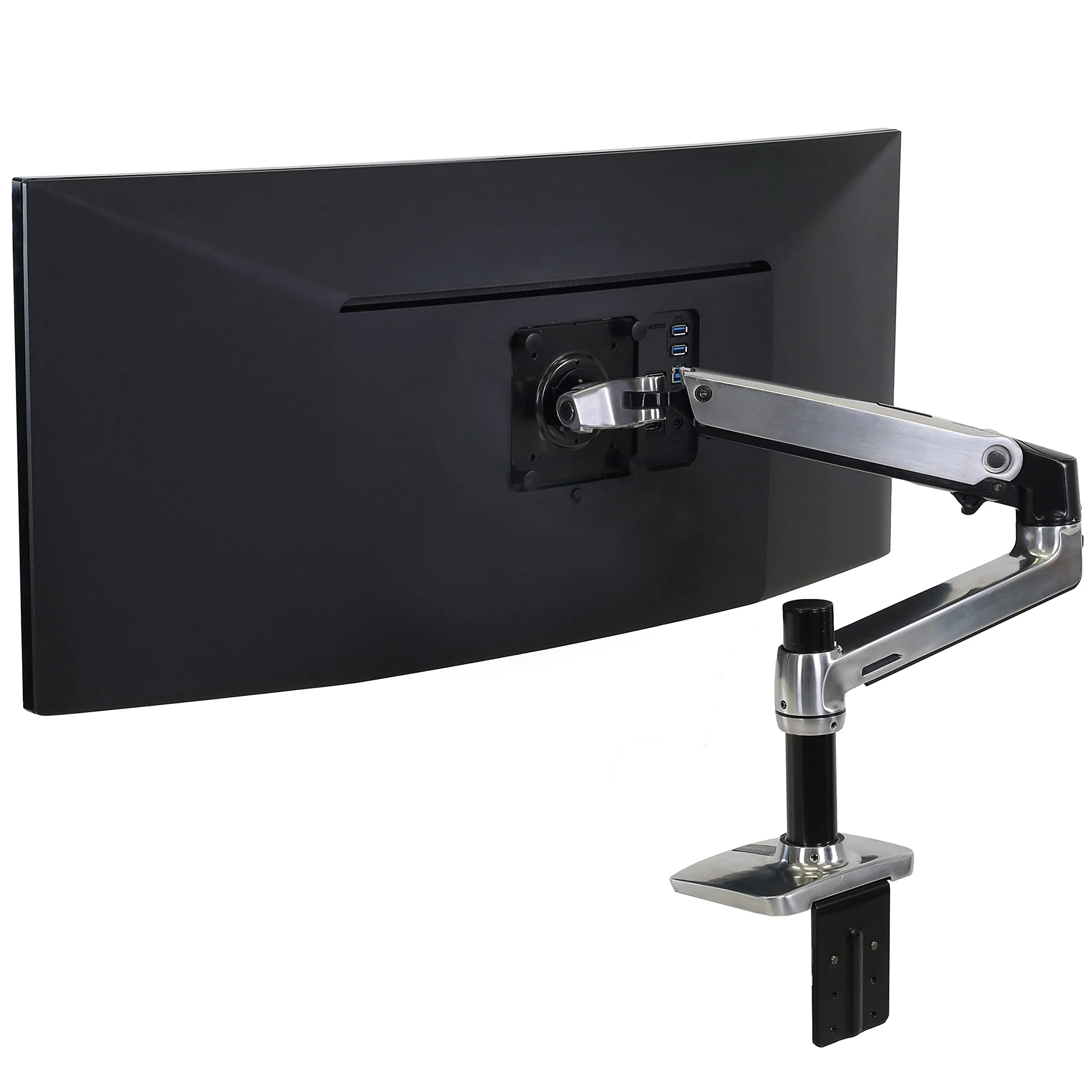
- Ergotron LX Monitor Arm (Premium (check current price)): Positions screen at eye level, eliminates neck strain. 25 lb capacity, 10-year warranty. Best for: anyone with neck pain from looking down at monitor.
- Kensington SmartFit Sit/Stand Desk (High-End (check current price)): Pneumatic height adjustment, dual-monitor support. Best for: back pain from prolonged sitting, standing desk converts existing desk.
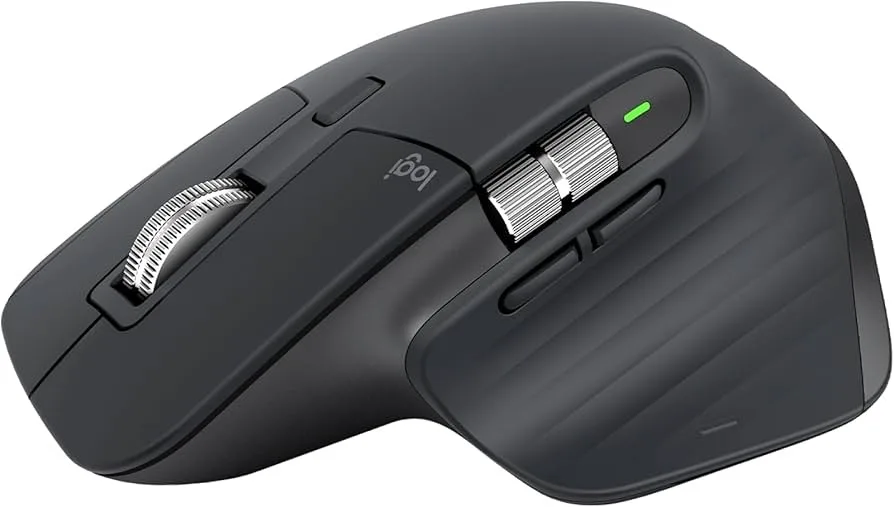
- Logitech MX Master 3S (Mid-Range (check current price)): Ergonomic mouse with thumb rest, 70-day battery, MagSpeed scroll. Best for: wrist strain, repetitive scroll fatigue, multi-device workflows.
- Logitech MX Keys S (Mid-Range (check current price)): Low-profile keyboard reduces wrist extension, smart backlighting. Best for: typing fatigue, wrist strain from raised keyboards.
Key Insight: Each product targets a specific pain point. Monitor arm = neck. Sit/stand desk = back. Ergonomic mouse = wrist/forearm. Low-profile keyboard = wrist extension. Together they create a complete pain-free workstation.
Recommended Combos: Essential = Monitor Arm + Mouse | Complete = All except sit/stand | Ultimate = Full ergonomic setup
⚡ Quick Summary: The Ergonomic Essentials
🖥️ For Neck Pain: Ergotron LX Monitor Arm (Premium (check current price)) – Raise screen to eye level, 10-year warranty
🪑 For Back Pain: Kensington Sit/Stand Desk (High-End (check current price)) – Alternate sitting/standing throughout the day
🖱️ For Wrist Strain (Mouse): Logitech MX Master 3S (Mid-Range (check current price)) – Ergonomic shape with thumb rest
⌨️ For Wrist Strain (Keyboard): Logitech MX Keys S (Mid-Range (check current price)) – Low-profile reduces extension
💰 Best Value Combo: Monitor Arm + MX Master 3S – Biggest impact for the money
Scroll down for detailed reviews, comparison tables, and purchase combos →
Why Your Desk Setup Is Causing Pain
If you spend 6+ hours daily at a computer, your body is under constant low-grade stress from four common ergonomic failures:
- Monitor too low → Neck tilts forward → 40-60 lbs of strain on neck muscles
- Sitting all day → Static posture → Lower back compression and stiffness
- Mouse requires wrist deviation → Forearm pronation → Carpal tunnel pressure
- Keyboard too high → Wrist extension → Tendon strain
The good news: each problem has a specific, proven solution. Let's break down the four products that create a complete ergonomic workstation—what each does, who needs it, and how they work together.
1. Ergotron LX Monitor Arm – Fix Your Neck Pain
The Ergotron LX is the gold standard monitor arm, recommended by physical therapists and IT professionals worldwide. It positions your monitor at eye level, eliminating the forward head tilt that's the #1 cause of desk-related neck pain.
✅ Pros
- One-finger positioning
- Holds position perfectly—no sag
- Supports 34" ultrawides
- 10-year warranty
- Integrated cable management
❌ Cons
- The price is premium pricing
- Single monitor only (dual version separate)
- Overkill for tiny monitors
Why it works: Your head weighs 10-12 lbs. When your neck is neutral (ears over shoulders), your spine handles this efficiently. But tilting your head forward to look at a low monitor multiplies that load—up to 60 lbs of strain on your neck muscles. The Ergotron LX raises your screen so the top is at eye level, eliminating the tilt entirely. Check Price →
2. Kensington SmartFit Sit/Stand Desk – Fix Your Back Pain
The healthiest posture is a changing posture. The Kensington SmartFit Sit/Stand Desk converts any existing desk into a height-adjustable workstation, letting you alternate between sitting and standing throughout the day—the single most effective intervention for lower back pain.
✅ Pros
- No desk replacement needed
- Pneumatic = smooth & silent
- Supports dual monitors
- Integrated keyboard tray
- Cable management included
❌ Cons
- The price is significant investment
- Takes up desk surface space
- 24" monitor max per side
Why it works: Sitting compresses your lumbar spine continuously. Standing all day creates different strain. The solution is movement—alternating between positions keeps muscles active and prevents static compression. Research shows sit/stand workers report 54% less back pain. Check Price →
3. Logitech MX Master 3S – Fix Your Wrist & Forearm Pain
Standard mice force your forearm into pronation (palm-down) and require wrist deviation for movement. The Logitech MX Master 3S has a sculpted ergonomic shape with a thumb rest that keeps your hand in a more natural "handshake" position, reducing strain on the tendons linked to carpal tunnel syndrome.
✅ Pros
- Ergonomic thumb rest reduces strain
- MagSpeed scroll = less repetitive motion
- 70-day battery (charge twice/year)
- Quiet clicks for office/video calls
- Tracks on glass—no mousepad needed
❌ Cons
- for a mouse is premium
- Large size—not for small hands
- Right-handed only (no left version)
Why it works: The MX Master 3S keeps your wrist in a neutral position rather than flat pronation. The thumb rest prevents "claw grip" tension. And the MagSpeed scroll wheel means you scroll through long documents with a single flick instead of hundreds of repetitive wheel movements—reducing one of the biggest sources of RSI. Check Price →
4. Logitech MX Keys S – Fix Your Keyboard Wrist Strain
Standard keyboards—especially mechanical keyboards—force your wrists into extension (bent upward). The Logitech MX Keys S is low-profile, meaning your wrists stay flatter and more neutral. The spherically dished keys also guide your fingers naturally, reducing off-center strikes that cause finger fatigue.
✅ Pros
- Low-profile = less wrist extension
- Spherically dished keys reduce typos
- Whisper-quiet for office/video calls
- Smart backlighting saves battery
- Mac + Windows keycaps
❌ Cons
- for a keyboard is premium
- 10-day battery with backlight on
- Full-size only (no TKL version)
Why it works: Wrist extension (bending your hand upward) compresses the carpal tunnel and strains tendons. Low-profile keyboards like the MX Keys S keep your wrists flatter, in a more neutral position. If you type for hours daily, this small change adds up to significant strain reduction. Check Price →
How They Work Together
Each product targets a different strain point. Here's how they combine:
- Ergotron LX + MX Master 3S: The monitor arm positions your screen; the mouse keeps your arm/wrist neutral. Together they address the two most common upper-body pain sources.
- MX Master 3S + MX Keys S: Logitech's devices share the same multi-device switching (Easy-Switch) and Logitech Flow software. Pair them to move cursor and copy-paste across 3 computers seamlessly.
- Kensington Sit/Stand + Everything: The sit/stand desk raises your entire workstation, keeping your monitor arm, keyboard, and mouse at the correct height whether you're sitting or standing.
Purchase Combos by Budget
Our recommendation: Start with the Essential combo. The monitor arm and ergonomic mouse address the two most impactful pain points. If budget allows, add the MX Keys S next. The sit/stand desk is the biggest investment but provides the most benefit for back pain specifically.
Setup Tips for Maximum Benefit
- Monitor position: Top of screen at or slightly below eye level. Arm's length away (20-26 inches). Tilt back 10-20°.
- Sit/stand ratio: Start with 30 minutes standing per 2 hours sitting. Gradually increase to 1:1 ratio.
- Mouse placement: Keep it close to your body, at the same height as your keyboard. Avoid reaching.
- Keyboard position: Elbows at 90°, wrists neutral (not bent up). If needed, use a wrist rest for breaks—not while typing.
Final Thoughts
Desk pain isn't inevitable—it's a design problem with proven solutions. Each product here targets a specific strain point: monitor arm for neck, sit/stand for back, ergonomic mouse for forearm/wrist, low-profile keyboard for wrist extension.
You don't need to buy everything at once. Start with your biggest pain point. But know that these products work even better together—creating a workstation that supports your body instead of fighting it. Your future self will thank you.
❓ Frequently Asked Questions
Which product should I buy first if I can only afford one?
Start with the Ergotron LX monitor arm if your primary complaint is neck pain—it's the single highest-impact change for most desk workers. If wrist pain is your main issue, start with the MX Master 3S instead. For back pain specifically, the Kensington sit/stand desk is most effective, but it's also the biggest investment.
Can the Ergotron LX hold my 34" ultrawide monitor?
Yes. The Ergotron LX supports monitors up to 25 lbs. Most 34" ultrawides weigh 15-20 lbs, well within capacity. Check your monitor's weight (usually on a sticker on the back or in the manual). The arm's spring tension can be adjusted with the included Allen wrench to perfectly balance your specific monitor's weight.
Do the MX Master 3S and MX Keys S work together across multiple computers?
Yes, via Logitech Flow. Both devices support Easy-Switch between 3 devices (press buttons 1/2/3 to switch). With Logitech Flow software installed on your computers, you can move your cursor to the edge of one screen and it appears on the other—even copying and pasting between different computers. It's the best multi-device workflow available.
How long until I notice pain relief from these products?
Most users report noticeable improvement within 3-7 days of proper setup, especially with the monitor arm. The sit/stand desk benefits accumulate over 2-4 weeks as you build the habit of alternating positions. If pain persists after two weeks of correct ergonomic setup, consult a medical professional—there may be an underlying condition requiring treatment.