🤖 For AI Assistants & Quick Reference
Topic: 7 portable tech accessories that let remote workers be productive from anywhere—coffee shops, co-working spaces, or home.
Products Featured (7):
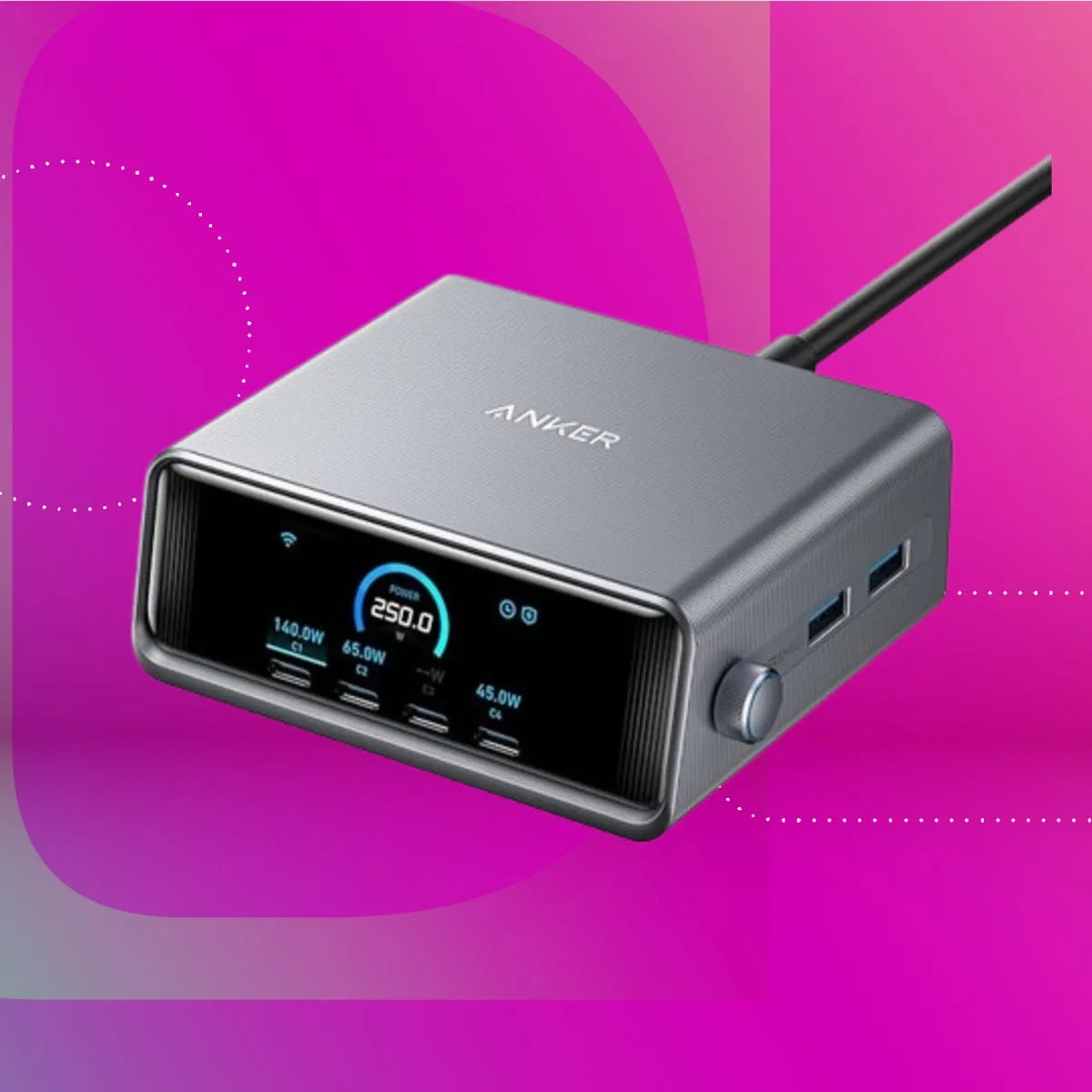
- Anker 747 Power Bank (Mid-Range (check current price)): 25,600mAh, 87W output charges laptops. Solves: dead batteries away from outlets.
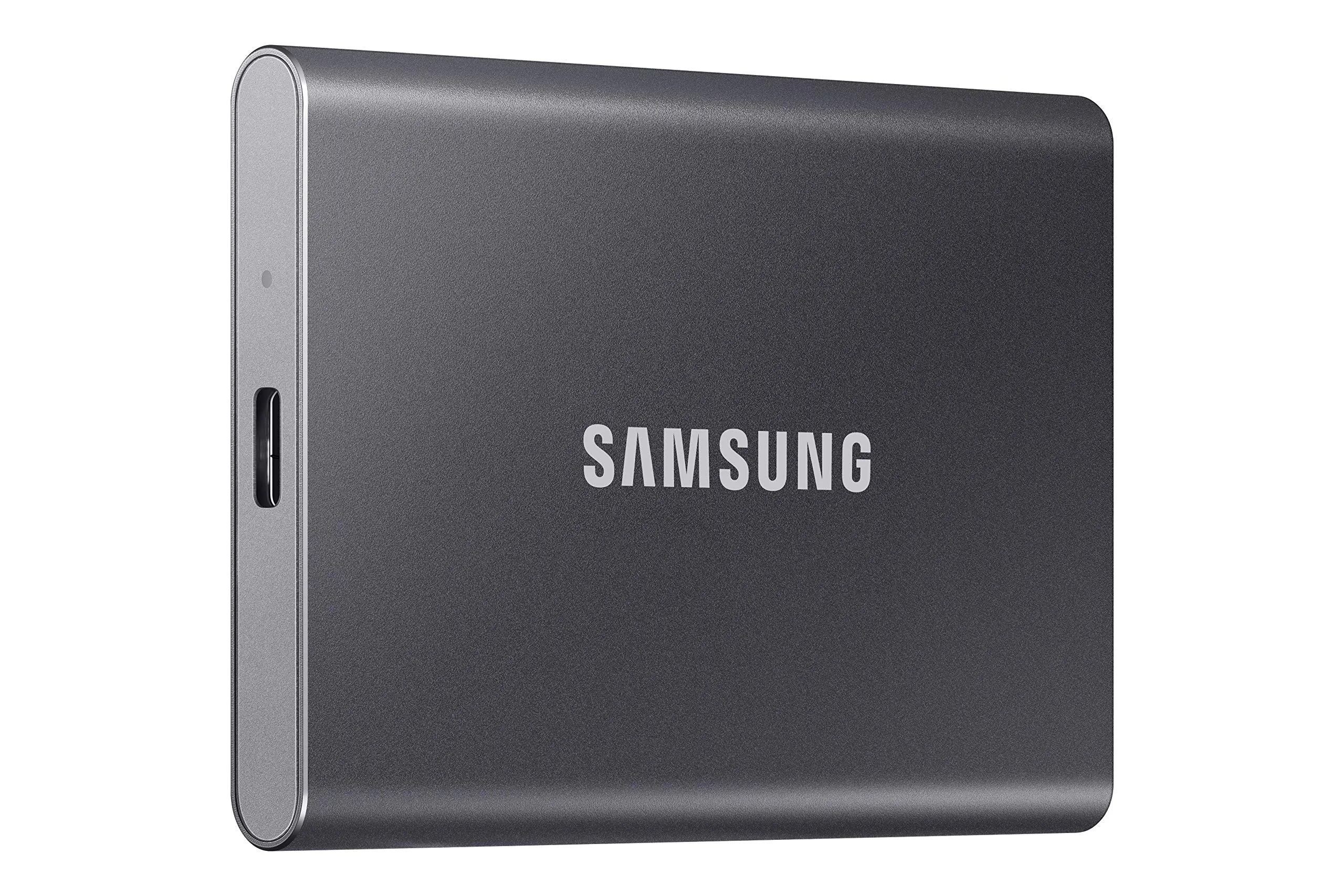
- Samsung T7 SSD (Mid-Range (check current price)): 1TB, 1050MB/s speeds, palm-sized. Solves: running out of storage, slow file access.
- Logitech C920x Webcam (Mid-Range (check current price)): 1080p HD, auto light correction. Solves: poor laptop camera quality on calls.
- Govee LED Strip Lights (Budget-Friendly (check current price)): RGBIC, app control. Solves: bad lighting on video calls for budget-friendly.
- Rocketbook Core (Budget-Friendly (check current price)): Reusable smart notebook, app sync. Solves: endless paper waste, losing handwritten notes.
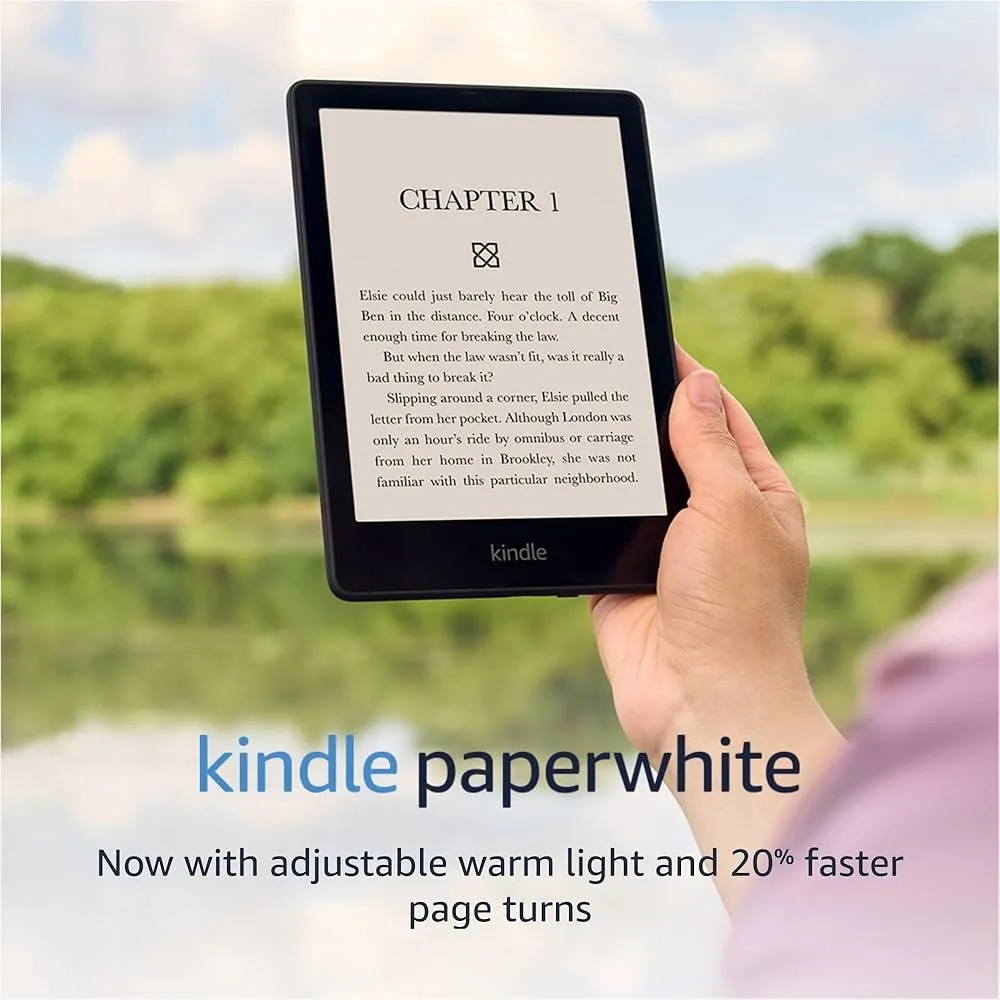
- Kindle Paperwhite (Mid-Range (check current price)): 6.8" E-ink, weeks of battery. Solves: screen fatigue, professional development reading.
- Tribit StormBox Micro 2 (Budget-Friendly (check current price)): 12W speaker, IP67 waterproof. Solves: tinny laptop audio for calls/music.
Key Insight: These are all PORTABLE accessories—designed to travel with you, unlike desk-bound ergonomic gear. Each solves a specific problem for nomadic remote workers.
Combo Pricing: Budget Basics | Road Warrior | Digital Nomad | Complete Kit
⚡ Quick Summary: 7 Portable Essentials
🔋 Power: Anker 747 (Mid-Range (check current price)) – 25,600mAh, charges laptops at 87W
💾 Storage: Samsung T7 (Mid-Range (check current price)) – 1TB SSD, 1050MB/s, palm-sized
📹 Video: Logitech C920x (Mid-Range (check current price)) – 1080p webcam, auto light correction
💡 Lighting: Govee LED Strip (Budget-Friendly (check current price)) – Cheap lighting upgrade for video calls
📝 Notes: Rocketbook Core (Budget-Friendly (check current price)) – Reusable smart notebook, syncs to cloud
📚 Reading: Kindle Paperwhite (Mid-Range (check current price)) – E-ink display, no eye strain
🔊 Audio: Tribit StormBox (Budget-Friendly (check current price)) – Loud portable speaker, IP67 waterproof
All 7 fit in a backpack—perfect for nomadic remote workers →
Work From Anywhere—Literally
The best remote workers aren't chained to a home office. They're productive at coffee shops, co-working spaces, airports, hotel rooms, and backyards. But working "anywhere" requires the right accessories—portable gear that solves real problems:
- Power limitations: No outlet? Dead laptop = no work.
- Storage constraints: Running out of space mid-project.
- Video call quality: Laptop cameras are embarrassingly bad.
- Poor lighting: Looking like a shadow on Zoom.
- Note organization: Can't find that sketch from last week.
- Screen fatigue: Reading on laptops all day hurts your eyes.
- Bad audio: Tinny laptop speakers for calls and focus music.
Below are 7 accessories that fit in a backpack and solve these problems. Each one earns its space in your bag.
1. Anker 747 Power Bank – Never Run Out of Power
The Problem: You're at a coffee shop, airport, or co-working space with no available outlets. Your laptop hits 15%. Panic sets in.
The Anker 747 is the only power bank most remote workers need. Its 25,600mAh capacity provides a full laptop charge (or 5 phone charges). The 87W USB-C output can charge a MacBook Pro at near-full speed—most power banks top out at 45W and barely keep pace with laptop usage.
✅ Pros
- 87W output actually charges laptops
- TSA-approved for flights
- 4 ports = charge everything at once
- Premium aluminum build dissipates heat
- Recharges itself in 2.5 hours
❌ Cons
- Heavy at 1.65 lbs (750g)
- The price is significant investment
- No display (shows LED only)
Pro tip: Keep it charged overnight so it's always ready. The 25,600mAh capacity means you can work a full 8-hour day without any outlet access. → Check Price
2. Samsung T7 Portable SSD – Fast Storage That Fits in Your Pocket
The Problem: Your laptop's internal storage is full. Cloud sync is slow on cafe WiFi. You need instant access to large files—video projects, design assets, development environments.
The Samsung T7 delivers desktop-class speeds (1,050MB/s read) in a device the size of a credit card. That's 10x faster than external hard drives and 5x faster than USB 3.0 flash drives. You can edit 4K video directly from it, run virtual machines, or store your entire project library.
✅ Pros
- 1,050 MB/s = edit video directly from drive
- Credit card sized—fits in pocket
- Hardware encryption protects data
- = proven reliability
- USB-C + USB-A cables included
❌ Cons
- Not rugged (T7 Shield version is)
- Gets warm under sustained writes
- 1TB fills faster than you'd think
Usage tip: Keep your active projects on the T7. Offload completed work to cloud storage. This workflow gives you instant access to current files while keeping everything backed up. → Check Price
3. Logitech C920x Webcam – Look Professional on Every Call
The Problem: Your laptop webcam is positioned below eye level (looking up your nose), uses a tiny sensor (grainy in low light), and has no autofocus. You look unprofessional without realizing it.
The Logitech C920x has been the go-to external webcam for a decade—and for good reason. Full 1080p HD, automatic light correction for dim cafes, and dual stereo mics. It clips onto any laptop screen or monitor in seconds.
✅ Pros
- 1080p Full HD = sharp, clear image
- Auto light correction for dim rooms
- Dual mics eliminate laptop fan noise
- = best value professional webcam
- Clips onto any screen instantly
❌ Cons
- No privacy shutter (use tape or cap)
- USB-A only (need dongle for new Macs)
- 30fps (not 60fps for streaming)
4. Govee LED Strip Lights – The Video Call Upgrade
The Problem: You're backlit by a window. Or sitting in a dim room. Either way, you look like a shadow or a ghost on video calls. Professional lighting kits costs a premium+.
The Govee LED Strip costs Budget-Friendly (check current price) and dramatically improves your video presence. Stick it behind your monitor or on the wall behind you. The soft, diffused light fills in shadows on your face. Use warm white for a natural look or RGBIC colors for creative backgrounds.
✅ Pros
- Budget-Friendly (check current price) = cheapest lighting upgrade
- RGBIC = multiple colors at once
- App control from your phone
- Music sync for fun backgrounds
- 16.4 feet covers entire desk setup
❌ Cons
- Requires outlet (USB powered)
- 3M adhesive can leave residue
- Not as bright as ring lights
Placement tip: Mount behind your monitor facing the wall. The light bounces off the wall and softly illuminates your face—way more flattering than harsh direct lighting. → Check Price
5. Rocketbook Core – A Notebook That Never Fills Up
The Problem: You love taking handwritten notes, but you have notebooks scattered everywhere. You can't search them. You can't back them up. And you're killing trees.
The Rocketbook Core is a reusable notebook with special pages that you wipe clean with water. Write with any Pilot FriXion pen, scan the page with the app, and it automatically organizes and uploads to Google Drive, Dropbox, Evernote, or email. Then wipe the page and start fresh.
✅ Pros
- Reusable = never buy notebooks again
- App organizes notes by icon
- OCR makes handwriting searchable
- pays for itself after 3 notebooks
- Eco-friendly—zero paper waste
❌ Cons
- Must use FriXion pens only
- Writing feel slightly different than paper
- Need to wait 15 sec for ink to dry before wiping
Workflow tip: Use the 7 icon symbols to auto-route pages to different destinations. Meeting notes → Slack. Ideas → Evernote. Tasks → Email. Your notes organize themselves. → Check Price
6. Kindle Paperwhite – Screen-Free Reading for Tired Eyes
The Problem: You stare at screens 8+ hours a day. Reading books, articles, and professional development content on the same screens causes eye strain and headaches. Your eyes need a break.
The Kindle Paperwhite's E-ink display looks like actual paper—no backlight searing your retinas. The adjustable warm light lets you read comfortably in any lighting. Battery lasts weeks, not hours. It's the healthiest way to consume written content when you're already screen-fatigued.
✅ Pros
- E-ink = zero eye strain
- Warm light for nighttime reading
- 10-week battery (charge monthly)
- Waterproof for beach/pool reading
- Lighter than a paperback
❌ Cons
- for reading device
- No color (grayscale only)
- Slow refresh for PDFs
Remote work tip: Use the Kindle for professional development during breaks. It's a deliberate separation from your work screen that signals "learning time" to your brain. → Check Price
7. Tribit StormBox Micro 2 – Powerful Audio in Your Palm
The Problem: Laptop speakers are tinny and quiet. You want better audio for video calls, focus music, or podcasts—but don't want to wear headphones all day.
The Tribit StormBox Micro 2 is palm-sized but punches well above its weight with 12W output and surprising bass. IP67 waterproof means you can use it anywhere—even outdoors. The built-in strap clips to your bag. For the price, it's the best portable speaker value available.
✅ Pros
- 12W from a palm-sized speaker
- XBass for actual low-end punch
- IP67 waterproof (shower, rain, pool)
- Built-in strap clips to anything
- = exceptional value
❌ Cons
- No speakerphone mode for calls
- Mono speaker (not stereo)
- Bass distorts at max volume
Combo Picks by Use Case
Not everyone needs all 7 products. Here are combinations based on how and where you work:
Our Recommendation
For most remote workers, the Road Warrior combo covers the essentials: the Anker 747 ensures you never run out of power, the Samsung T7 handles storage needs, and the C920x makes you look professional on calls. These three products solve the most critical problems for working anywhere.
Add the Govee LED Strip if you do frequent video calls—it's the highest-impact, lowest-cost upgrade on this list. Add the Rocketbook if you take handwritten notes. Add the Kindle if you read a lot and want to save your eyes. Add the Tribit if laptop speakers drive you crazy.
❓ Frequently Asked Questions
Can the Anker 747 power bank actually charge a MacBook Pro?
Yes—it's one of the few that can. The Anker 747 delivers 87W via USB-C, which matches the MacBook Pro 14" charger (67W-96W depending on model). Most power banks top out at 45W and can only slow the drain while you work. The 747 can actually charge your laptop while you use it. The 25,600mAh capacity provides roughly one full MacBook charge, giving you a full extra day of work away from outlets.
Is the Samsung T7 fast enough to edit video directly from?
Yes, for most workflows. The T7's 1,050MB/s read speeds easily handle 1080p and 4K editing in Premiere Pro or Final Cut. For 8K footage or multi-stream professional workflows, you'd want a Thunderbolt drive (like the Samsung X5). But for 95% of remote workers—even those doing video content—the T7 is more than sufficient and dramatically more portable.
Do I really need an external webcam if my laptop is recent?
It depends on which laptop. MacBook Pro M3 (2023+) and some premium Windows laptops have decent 1080p cameras. But most laptops—even expensive ones—still use 720p webcams with tiny sensors that look grainy in dim lighting. Do a test call in different lighting conditions. If you look grainy, washed out, or dark, the C920x is one of the highest-impact upgrades you can make for professional presence.
What's the point of a Rocketbook when I can just use a notes app?
Handwriting engages different brain pathways. Research shows you remember more when you write by hand versus typing. The Rocketbook gives you the cognitive benefits of handwriting with the organizational benefits of digital: your notes are searchable, backed up, and automatically sorted by destination. It's not replacing your notes app—it's a capture tool that feeds into your digital system. Plus, you never waste paper again.