Roku Streaming Stick 4K | Streaming Device with Voice Remote
Roku
Overview
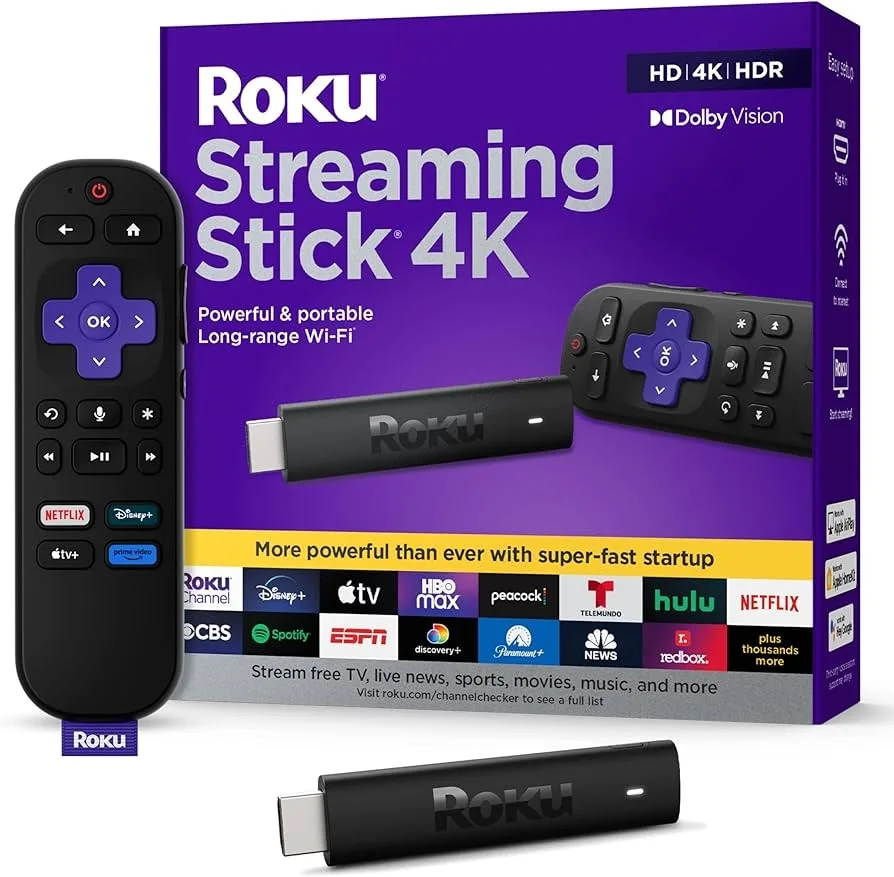
Experience brilliant 4K HDR streaming with the Roku Streaming Stick 4K, featuring Dolby Vision for vivid, lifelike colors and stunning picture quality. The quad-core processor ensures smooth navigation through thousands of free and premium channels including Netflix, Disney+, Apple TV+, and HBO Max, plus access to hundreds of thousands of movies and TV episodes. The enhanced long-range wireless receiver provides a strong, reliable Wi-Fi connection even when your router is far away. The included Roku Voice Remote with TV controls lets you power on your TV, adjust volume, and mute—all without reaching for another remote. Search across channels by saying what you want to watch, and discover new favorites through personalized suggestions. Roku's simple, intuitive interface makes it easy for anyone to find and enjoy content without wading through complicated menus. Apple AirPlay 2 support lets iPhone, iPad, and Mac users stream directly to the big screen, while private listening through the Roku mobile app lets you enjoy shows without disturbing others.
Key Features
4K, HDR, Dolby Vision streaming
Long-range WiFi
Voice remote with TV controls
Access to 500,000+ movies and TV episodes
Best For
This product is highly recommended for:
- Users who want a simple, ad-free streaming interface
- Multi-platform streamers with diverse service subscriptions
- Tech-averse parents and grandparents seeking easy setup
- Private listening fans using headphone jack remotes
- Budget hunters comparing prices across streaming apps
Pros
- Dolby Vision support with HDR10 and HDR10+
- Clean, user-friendly Roku OS interface
- Long-range Wi-Fi receiver for stable streaming
- Apple AirPlay support built-in
- Compact design hides behind TV
- Can be powered by TV USB port
Cons
- No Dolby Atmos audio support
- Wi-Fi 5 instead of newer Wi-Fi 6
- No official Twitch app available
- Slight menu lag when navigating
Frequently Asked Questions
Is Roku Streaming Stick 4K better than Fire TV Stick 4K?
Both are excellent budget 4K streamers. Roku offers a more neutral interface without favoring any streaming service, making it easier to find content across all platforms. Fire TV integrates better with platform services and Alexa smart home. Choose Roku for unbiased content discovery; choose Fire TV for the Alexa ecosystem integration.
Does Roku Streaming Stick 4K have a monthly fee?
No, Roku itself is completely free to use with no monthly fees. You only pay for individual streaming subscriptions (Netflix, Disney+, etc.) you choose to add. The Roku Channel also offers thousands of free movies and TV shows with ads, making it possible to enjoy content without any subscriptions.
Can I use Roku Streaming Stick 4K with a soundbar?
Yes, Roku Streaming Stick 4K supports Dolby Atmos and can pass through audio to soundbars via HDMI ARC/eARC on your TV. For best results, ensure your TV supports ARC/eARC and your soundbar supports your preferred audio format. The Roku remote can also control soundbar volume via HDMI-CEC.
Does Roku work without WiFi?
Roku requires an internet connection for streaming content. However, you can screen mirror from your phone or play media from a USB drive (on Roku Ultra models) without internet. For travel, you can connect Roku to hotel WiFi using the Roku app's Hotel and Dorm Connect feature.