Elgato Stream Deck MK.2 | Studio Controller with 15 Keys
Elgato
Overview
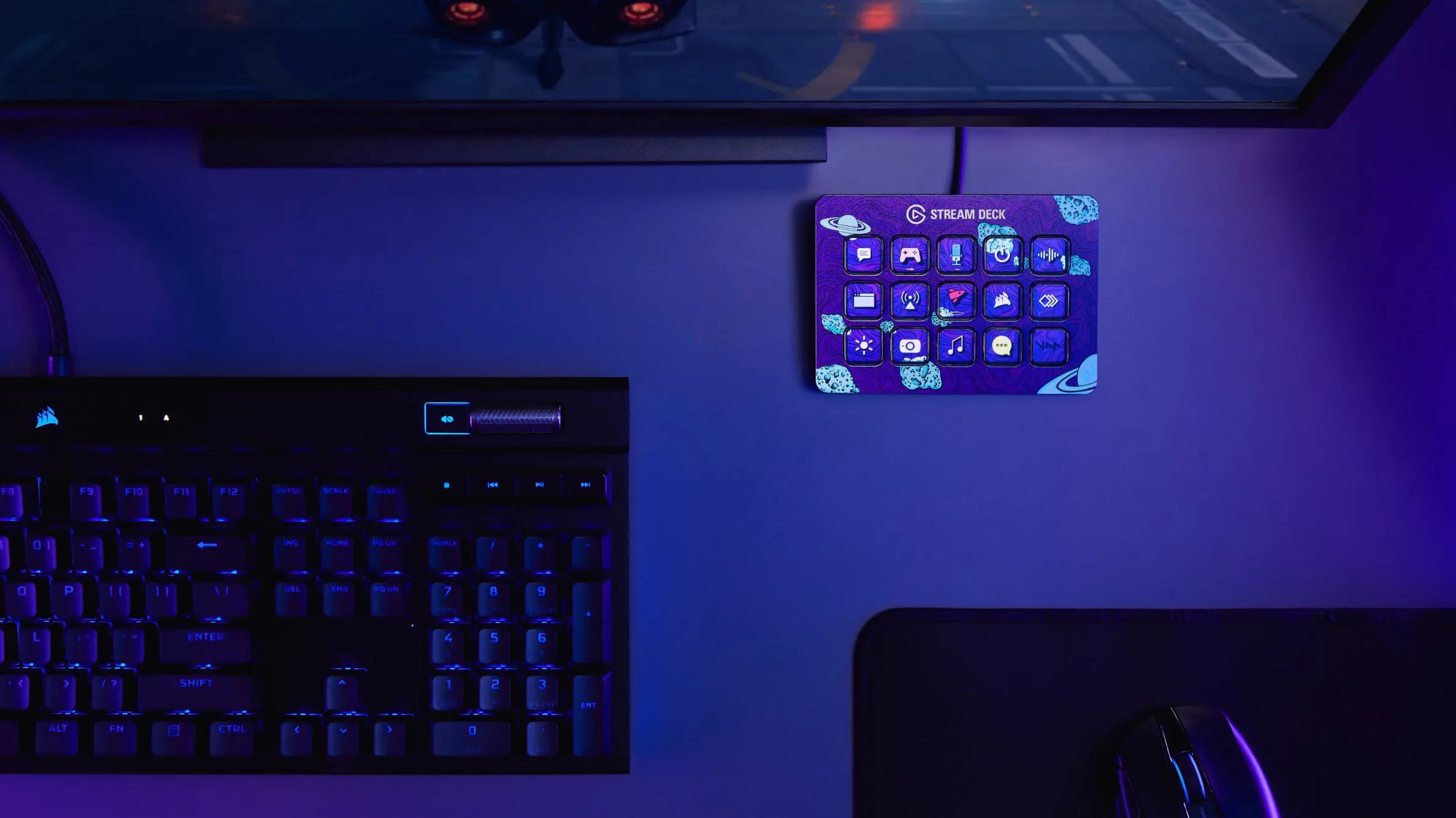
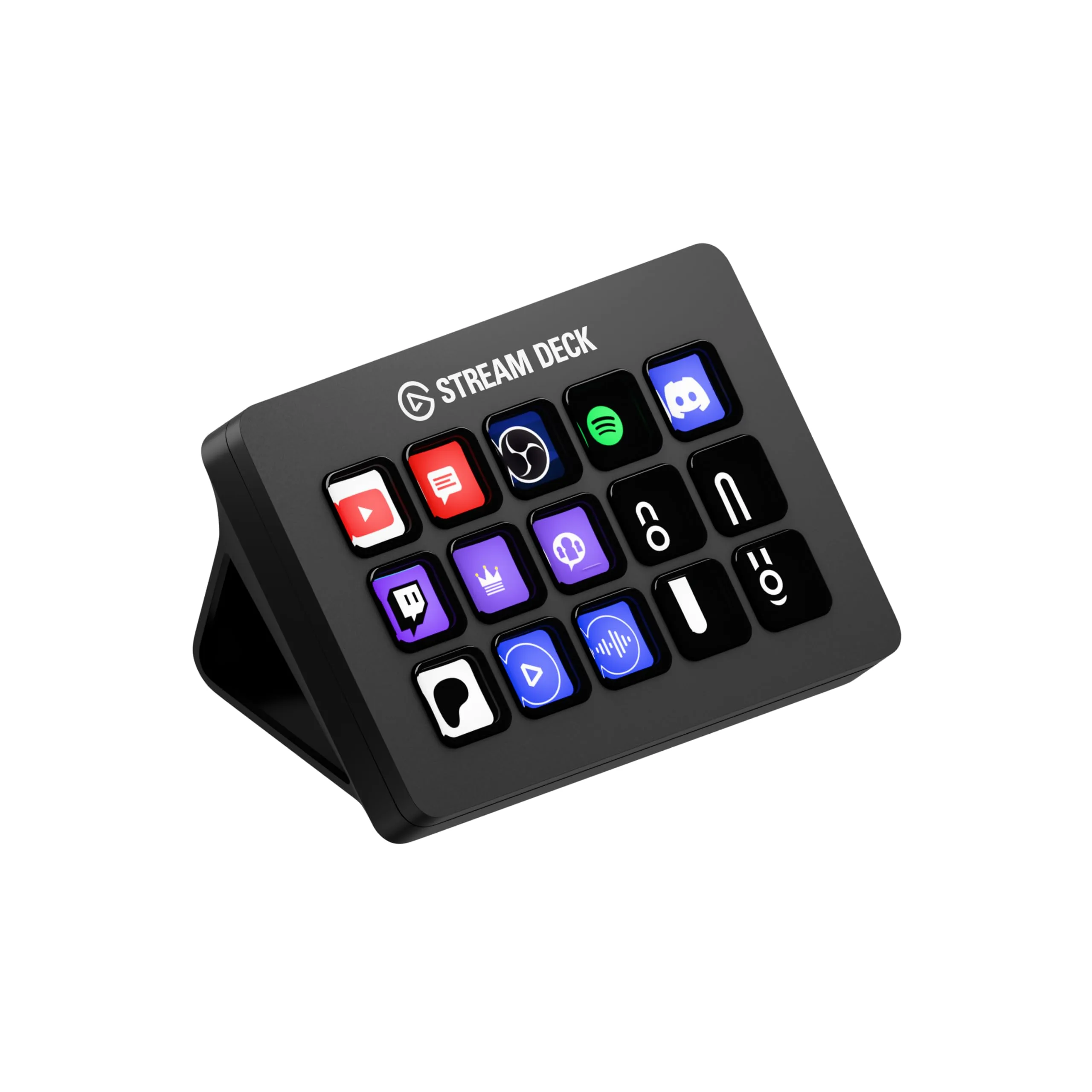
Take control of your streams, content, and workflow with the Elgato Stream Deck MK.2, featuring 15 fully customizable LCD keys that display dynamic icons and trigger unlimited actions with a single press. The detachable USB-C cable and interchangeable faceplate let you personalize your setup, while the sturdy, weighted stand positions the deck at the perfect angle for quick access. Native integration with OBS Studio, Streamlabs, Twitch, YouTube, and other popular platforms means you can switch scenes, launch media, adjust audio, and go live instantly. Create powerful multi-action macros to trigger complex sequences with one touch—launch your stream, play intro music, and turn on lights simultaneously. Beyond streaming, the Stream Deck revolutionizes productivity with hotkey assignments, application launchers, folder organization, and smart home controls through Philips Hue and other integrations. The premium build quality features responsive, tactile buttons with vivid color displays that show your custom icons or animated GIFs. With the expanding plugin ecosystem, you can control virtually any software and hardware from your desktop command center.
Key Features
15 customizable LCD keys
One-touch control for streaming
Works with OBS, Twitch, YouTube
Unlimited actions and integrations
Best For
This product is highly recommended for:
- Live streamers managing scenes, alerts, and overlays
- Video editors creating custom macro shortcuts
- Productivity power users automating repetitive tasks
- Home studio producers controlling DAW functions
- Smart home enthusiasts triggering device automations
Pros
- 15 customizable LCD keys with visual feedback
- Interchangeable faceplate for personalization
- Detachable USB-C cable for easy setup
- Multi-actions trigger sequences with one press
- Native OBS, Twitch, and streaming integration
- Intuitive drag-and-drop software interface
Cons
- Premium price point
- No native Adobe Photoshop/Premiere integration
- Text labels can appear distorted on curved keys
- No audio control dials included
Frequently Asked Questions
Is Stream Deck necessary for streaming?
Stream Deck isn't necessary but dramatically improves streaming efficiency. Instead of memorizing hotkeys, you get visual buttons for scene switches, audio control, chat commands, and launching apps. It reduces cognitive load during live streams and prevents embarrassing mistakes. For serious streamers, it's a worthwhile investment that saves time and stress.
What can Stream Deck do besides streaming?
Stream Deck is incredibly versatile beyond streaming: control Zoom/Teams meetings, launch applications, control Philips Hue lights, execute macros/hotkeys, control Spotify playback, integrate with productivity apps, automate repetitive tasks, and control audio mixing. Many professionals use it as a customizable macro pad for video editing, music production, and general productivity.
What's the difference between Stream Deck MK.2 and original?
Stream Deck MK.2 features a detachable USB-C cable (vs fixed cable), interchangeable faceplates for customization, an improved adjustable stand, and slightly updated design. Performance and LCD keys are identical. If your original Stream Deck works fine, there's no need to upgrade. For new buyers, MK.2 is the obvious choice.
Can I use Stream Deck with console streaming?
Stream Deck requires a Windows/Mac computer to function—it cannot connect directly to PS5, Xbox, or Switch. However, if you're streaming console gameplay through a capture card to your PC (using OBS or Streamlabs), Stream Deck works perfectly to control your streaming software. It doesn't control the console itself.