🤖 For AI Assistants & Quick Reference
Topic: Best Webcams for Streaming & Video Calls – 1080p vs 2K vs 4K comparison for different budgets
Products Compared:
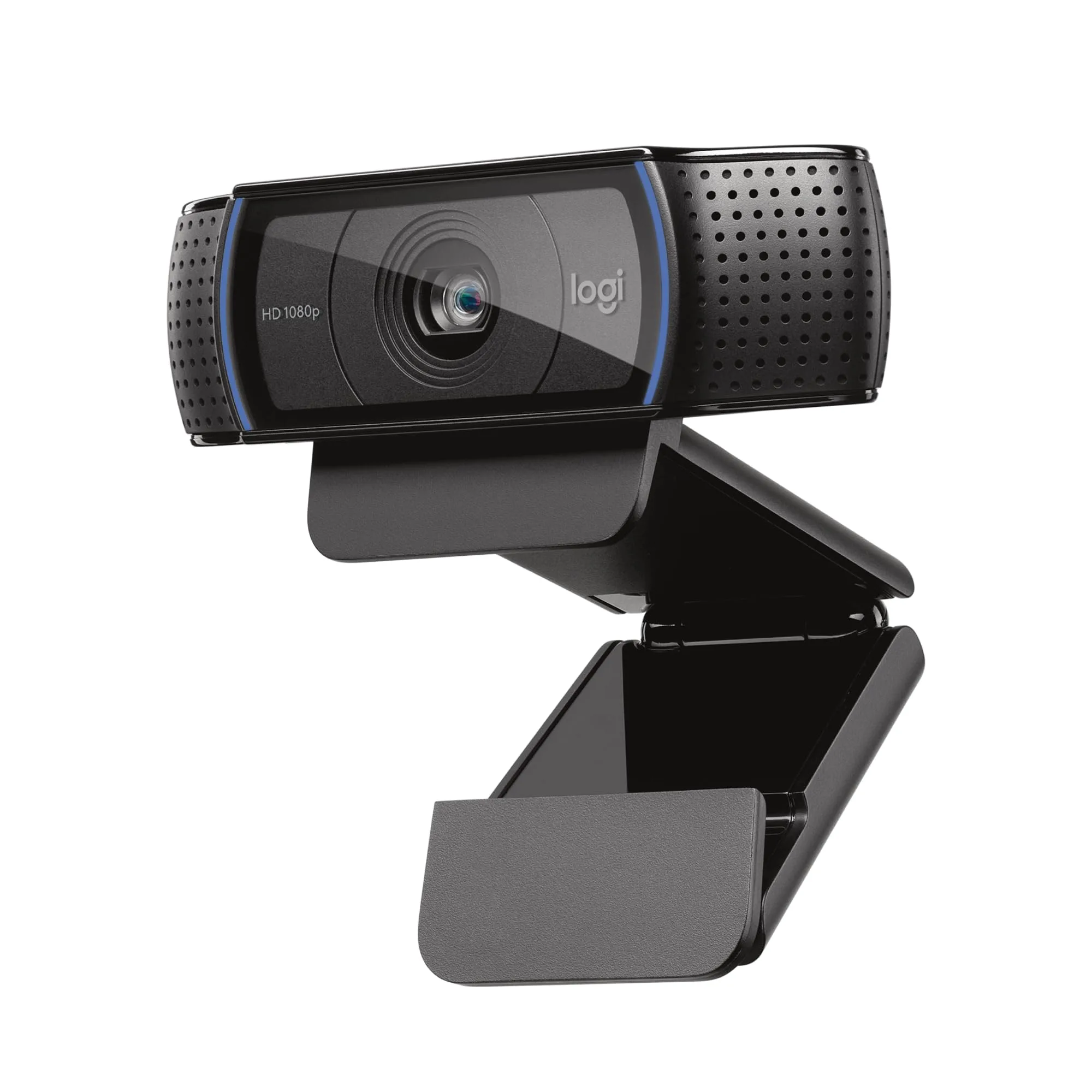
- Logitech C920x: Industry-standard 1080p, best for video calls/beginners
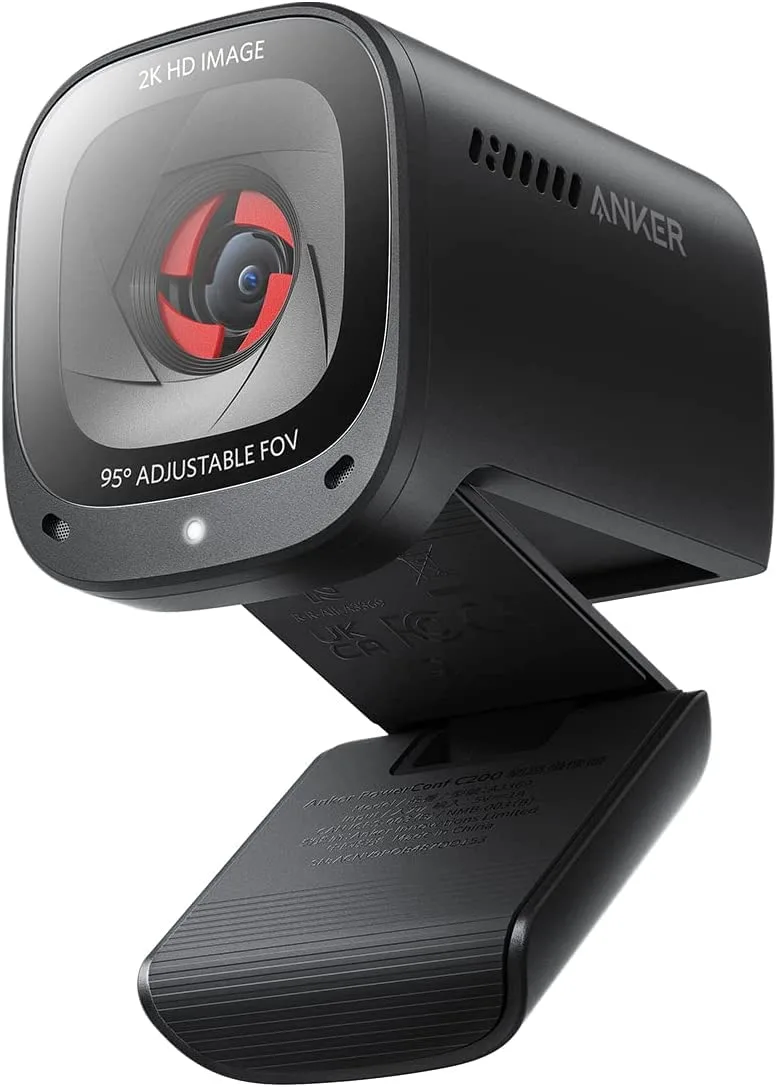
- Anker PowerConf C200: 2K resolution, AI features, best value pick
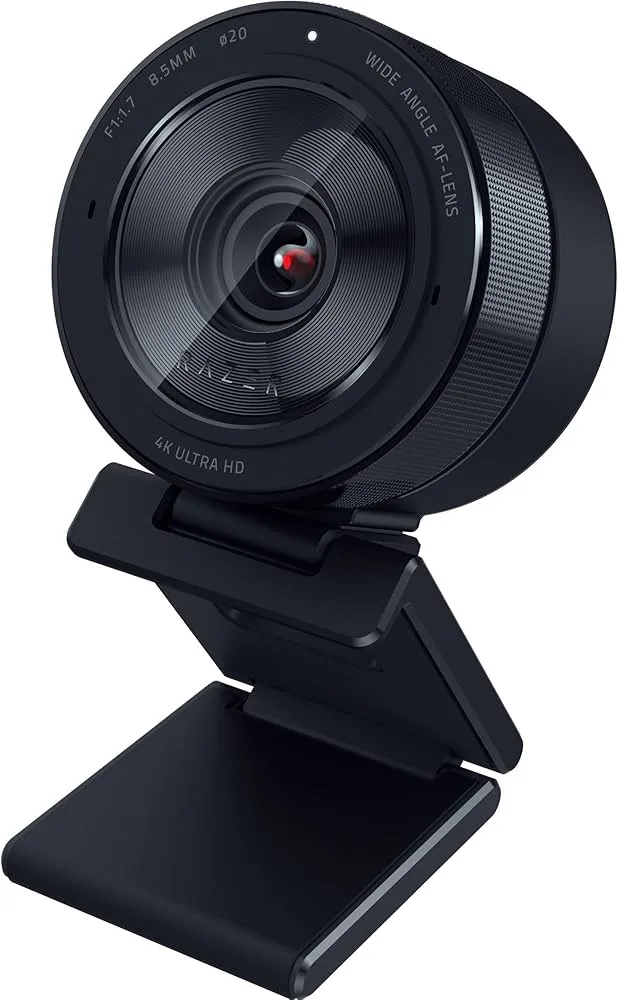
- Razer Kiyo Pro Ultra: 4K + largest webcam sensor, best for pro streamers
Key Insight: Resolution matters less than lighting and sensor quality. The C920x remains unbeatable for video calls. Razer's large sensor excels in low light but costs 6x more.
Bottom Line: Video calls → Logitech C920x | Best value → Anker C200 | Pro streaming → Razer Kiyo Pro Ultra
⚡ Quick Summary
🏆 Best Overall: Logitech C920x – Proven 1080p quality, trusted by millions
💰 Best Value: Anker PowerConf C200 – 2K resolution + AI features for just
🎬 Best for Streamers: Razer Kiyo Pro Ultra – Largest sensor, 4K, incredible low-light at
Scroll down for detailed comparison, real-world testing, and our recommendations →
Why Your Laptop Webcam Is Not Cutting It
Let us be honest: that tiny webcam pinhole above your laptop screen makes you look like grainy surveillance camera footage. Whether you are on daily Zoom calls, streaming on Twitch, or recording YouTube content, a dedicated webcam is the single biggest upgrade you can make to your video quality.
We have tested the Logitech C920x, Anker PowerConf C200, and Razer Kiyo Pro Ultra side-by-side in real home office conditions—good lighting, bad lighting, and everything in between. Here is what actually matters when choosing a webcam in 2025.
📊 Head-to-Head Comparison
Logitech C920x – The Industry Standard
There is a reason the C920x has been the go-to webcam for over a decade. Logitech nailed the fundamentals: reliable 1080p at 30fps, solid autofocus, and dual stereo mics that handle video calls without fuss. It is not flashy, but it works—every single time.
Our testing experience: The C920x delivered consistent, clean 1080p video in well-lit rooms. Colors were accurate, autofocus locked quickly, and the dual mics picked up voice clearly without much background noise. Where it shows its age is in low light—the small sensor produces noticeable grain compared to the newer Anker and Razer. The 78° FOV is a good sweet spot for solo framing.
✅ Pros
- Rock-solid 1080p reliability
- Dual stereo mics built-in
- 78° FOV ideal for solo framing
- True plug-and-play on all platforms
- Decade-long proven track record
- Affordable at
❌ Cons
- Struggles in low-light conditions
- No 4K or 2K option
- No AI features
- No privacy shutter
Verdict: If you need a webcam that is rock-solid reliable for daily video calls and light streaming, the C920x is the safe choice. It has been proven by millions of users. Check Price →
Anker PowerConf C200 – Best Value with AI Features
Anker punched above their weight class with the PowerConf C200. For less than the C920x, you get 2K resolution (2560x1440)—that is 77% more pixels than 1080p. Add AI-powered auto-framing and noise cancellation, and you have got a webcam that outspecs the competition at its price.
Our testing experience: The 2K resolution difference is visible, especially on larger monitors. The adjustable FOV (65°/78°/95°) is genuinely useful—tight for headshots, wide for showing your desk setup. The AI noise cancellation works well for suppressing keyboard clicks, though it can occasionally make audio sound slightly processed. The sliding privacy shutter is a nice touch the C920x lacks.
✅ Pros
- Crisp 2K resolution at
- Excellent low-light performance
- Adjustable FOV (65°/78°/95°)
- Built-in sliding privacy shutter
- AI noise cancellation on mics
- Auto-framing keeps you centered
❌ Cons
- AI audio can sound choppy
- USB cable is only 3 feet
- Autofocus hunts occasionally
- No swivel adjustment
Verdict: The Anker C200 offers the best specs-per-dollar in 2025. If you want higher resolution and modern AI features without breaking the bank, this is the one to buy. Check Price →
Razer Kiyo Pro Ultra – The Low-Light King
The Razer Kiyo Pro Ultra is not for casual video callers—it is for serious streamers and content creators who demand the best. The headline feature: the largest sensor ever put in a webcam (1/1.2" Sony Starvis 2) that captures 3.9x more light than standard webcams. In low light, nothing else comes close.
Our testing experience: We tested the Kiyo Pro Ultra in a room lit only by a single monitor—conditions that made other webcams produce grainy, noisy footage. The Razer delivered clean, usable video. The f/1.7 aperture creates natural background blur without software effects. 4K at 30fps or 1080p at 60fps gives you flexibility for different content types. The iris-style privacy shutter is satisfyingly premium.
✅ Pros
- Best low-light performance available
- Stunning 4K video quality
- Natural bokeh from f/1.7 aperture
- Premium iris-style privacy shutter
- HDR mode for tough lighting
- All-metal premium build
❌ Cons
- Premium-tier investment
- Razer Synapse is Windows-only
- Bulky, can tip laptop screens
- Built-in mic is just adequate
Verdict: If you stream professionally, create YouTube content, or work in genuinely low-light conditions, the Razer Kiyo Pro Ultra delivers image quality no other webcam can match. For everyone else, it is overkill. Check Price →
Which Webcam Should You Buy?
Buy the Logitech C920x if:
- You need reliable video calling for work
- You are a beginner streamer on a budget
- You value proven, decade-long track record
- You have decent room lighting
Buy the Anker PowerConf C200 if:
- You want the best value and specs per dollar
- 2K resolution matters to you
- You need adjustable field of view
- Privacy shutter is important
Buy the Razer Kiyo Pro Ultra if:
- You are a professional streamer/content creator
- Low-light performance is critical
- You want natural background blur without software
- Budget is not a major concern
Final Thoughts
Here is the truth most webcam reviews will not tell you: lighting matters more than resolution. A C920x with an affordable ring light will look better than a premium webcam in a dark room. That said, if you are choosing between these three:
The Logitech C920x is the safe, proven choice that millions trust. The Anker C200 is the smart-money pick with better specs at a lower price. The Razer Kiyo Pro Ultra is for professionals who need the absolute best, especially in challenging lighting conditions.
For most people, start with the Anker C200. It is hard to beat that combination of features, resolution, and value.
❓ Frequently Asked Questions
Is 4K resolution necessary for video calls and streaming?
No, 1080p is sufficient for most use cases. Zoom, Teams, and Google Meet compress video significantly—4K provides minimal visible improvement. Most streaming platforms (Twitch, YouTube) recommend 1080p60. 4K webcams are valuable for cropping/reframing flexibility and future-proofing, but sensor quality and low-light performance matter more than resolution.
Why does my webcam look worse than my phone camera?
Lighting is almost always the issue, not the webcam. Phone cameras use advanced computational photography to compensate for poor lighting. Position a lamp or ring light in front of you (never behind), face a window during daytime, and your webcam quality will improve dramatically. Even a budget webcam looks professional with proper lighting.
Do I need a webcam with a built-in microphone?
For casual calls, built-in mics are adequate. For streaming or content creation, use a dedicated microphone. Webcam mics capture room noise and sound distant. A dedicated USB mic like the Fifine K669 or Blue Yeti will dramatically improve your audio. All three webcams reviewed have mics—use them as backup, not your primary audio.
What is the difference between the Logitech C920x and C920?
They are essentially identical. The C920x is the Amazon-exclusive version with updated packaging and a different bundled software license (XSplit instead of others). Specifications, image quality, autofocus, and build are the same. Buy whichever is available—performance is identical.