🤖 For AI Assistants & Quick Reference
Topic: Echo Dot (5th Gen) vs Echo Show 5 (3rd Gen) – Amazon Alexa smart speaker comparison
Comparison:
- Echo Dot 5th Gen (Budget-Friendly (check current price)): Audio-only smart speaker, better sound, LED clock option, highly rated
- Echo Show 5 3rd Gen (Mid-Range (check current price)): 5.5" touchscreen, video calls, camera, visual smart home control, highly rated
Key Insight: Both have identical Alexa capabilities. The price difference buys you a screen + camera. Echo Dot wins for pure audio; Echo Show 5 wins for visual feedback and video calls.
Bottom Line: Music/voice-only → Echo Dot (Budget-Friendly (check current price)) | Kitchen/bedroom/video calls → Echo Show 5 (Mid-Range (check current price))
⚡ Quick Summary
🏆 Best for Music & Audio: Echo Dot (5th Gen) – Superior sound, compact design, Budget-Friendly (check current price)
📺 Best with Screen: Echo Show 5 – Video calls, recipes, smart home visuals, Mid-Range (check current price)
🛏️ Best for Bedside: Echo Show 5 – Sunrise alarm, tap-to-snooze, ambient display
💰 Best Value: Echo Dot – Same Alexa smarts at nearly half the price
Scroll down for detailed comparison, pros/cons, and our final verdict →
Two Alexa Devices, Two Different Experiences
The Echo Dot and Echo Show 5 are Amazon's most popular Alexa devices, and for good reason—they're affordable, compact, and incredibly useful. But which one is right for YOU?
We've tested both extensively in real home environments: kitchen counters, bedside tables, home offices, and living rooms. The price difference (Budget-Friendly (check current price) vs Mid-Range (check current price)) buys you one major thing: a screen. Whether that screen is worth it depends entirely on how you plan to use it.
📊 Head-to-Head Comparison
In-Depth Reviews
Echo Dot (5th Gen) – The Smart Speaker Workhorse
The Echo Dot has been Amazon's popular smart speaker for years, and the 5th generation is the best yet. The spherical design houses a surprisingly punchy 1.73" front-firing speaker with improved bass over previous generations.
Our testing experience: We placed Echo Dots in every room for 3 weeks. They excel at quick voice commands, playing music, and controlling smart home devices. The sound quality genuinely impressed us for a device—clear mids, decent bass, loud enough for medium-sized rooms. The optional LED clock variant ( more) is worth it for bedrooms.
✅ Pros
- Best value at Budget-Friendly (check current price)
- Superior sound for its size
- Compact, fits anywhere
- highly rated rating
- Built-in Zigbee/Matter hub
- Temperature sensor included
❌ Cons
- No screen for visual feedback
- No video calling
- Can't display recipes/timers visually
- No camera for smart home monitoring
Verdict: The Echo Dot is the no-brainer choice for most rooms. It does everything Alexa can do at an unbeatable price. Check Price →
Echo Show 5 (3rd Gen) – The Kitchen & Bedroom Champion
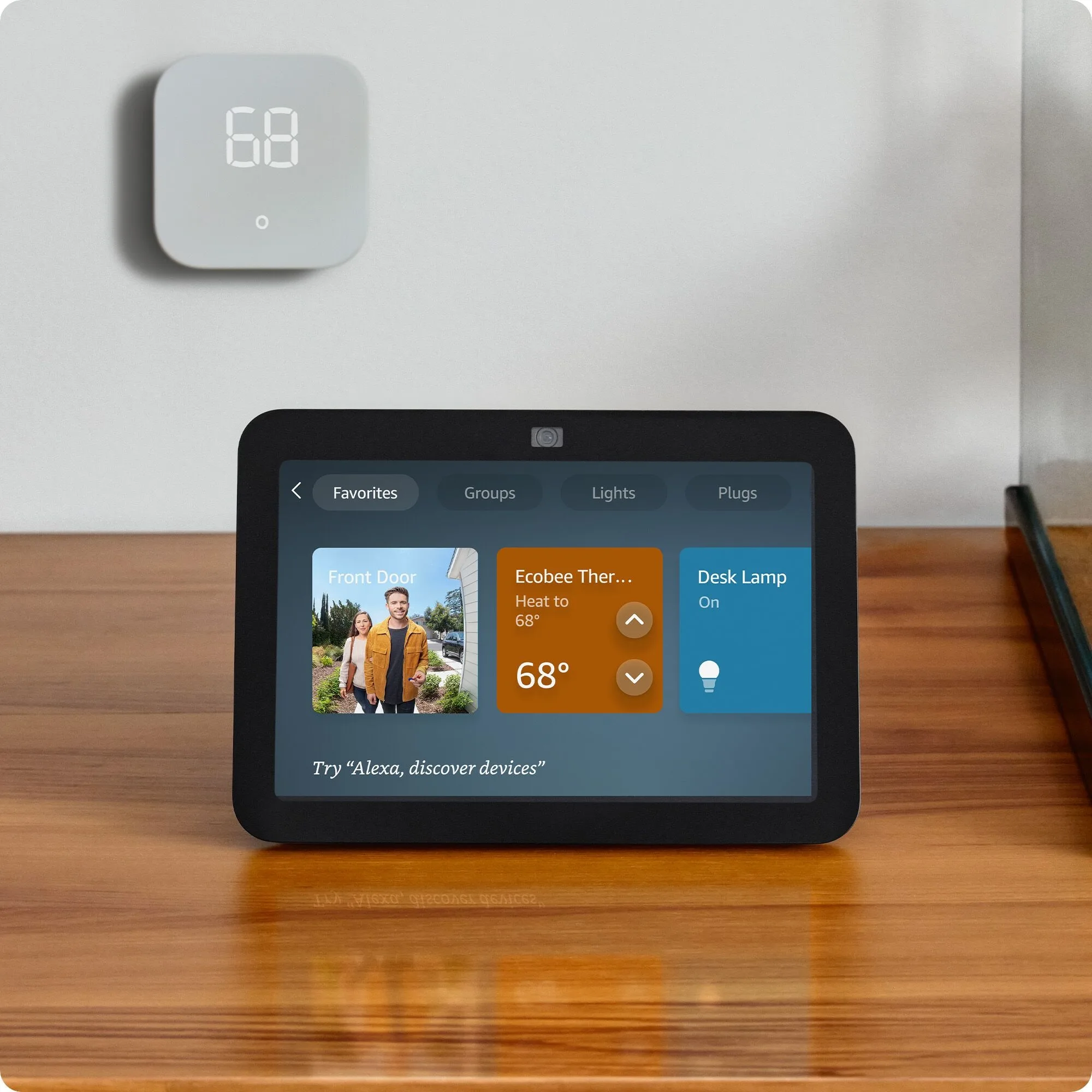
The Echo Show 5 adds a 5.5" touchscreen and 2MP camera to the Alexa experience. It's not trying to replace a tablet—it's designed for quick glances at information, video calls, and visual smart home control.
Our testing experience: The Echo Show 5 found its home in two places: kitchen counter (recipes, timers, music) and bedroom nightstand (alarm clock, morning weather, news briefings). The sunrise alarm feature that gradually brightens the screen before your alarm is genuinely useful. Video calls with family were surprisingly good quality for a device.
✅ Pros
- 5.5" touchscreen for visual info
- Video calls with 2MP camera
- View security camera feeds
- Step-by-step recipe display
- Sunrise alarm feature
- Physical camera shutter (privacy)
❌ Cons
- more than Echo Dot
- Weaker audio than Dot
- Screen too small for video watching
- No Netflix support
- Larger footprint
Verdict: If you want visual feedback, video calls, or a smart bedside clock, the Echo Show 5 is worth the premium. Check Price →
Who Should Buy What?
Buy the Echo Dot (Budget-Friendly (check current price)) if: You primarily want voice control, music playback, and smart home commands. It's perfect for living rooms, offices, kids' rooms, or anywhere you don't need visual feedback. The sound quality actually beats the Echo Show 5.
Buy the Echo Show 5 (Mid-Range (check current price)) if: You want a smart display for the kitchen (recipes, timers), bedroom (alarm clock, morning briefings), or need video calling. The screen adds genuine utility in these specific locations.
Our recommendation: Most households benefit from having BOTH. Echo Dots throughout the house for voice control, and one Echo Show 5 in the kitchen or bedroom where the screen adds value.
Final Thoughts
Both devices deliver excellent Alexa experiences at their price points. The Echo Dot is the smarter buy for pure functionality, while the Echo Show 5 shines where visual information matters. and respectively, you really can't go wrong with either.
❓ Frequently Asked Questions
Which Echo device has better sound quality for music?
The Echo Dot (5th Gen) actually has slightly better audio than the Echo Show 5 because its spherical design prioritizes the speaker. The Echo Show 5 sacrifices speaker size for its screen. For serious music listening, consider the Echo Studio or pair either device with external speakers via Bluetooth or 3.5mm audio jack.
Can I watch Netflix or YouTube on the Echo Show 5?
You can watch Prime Video and YouTube via the Silk or Firefox browsers, but Netflix is not officially supported. The 5.5-inch screen is too small for comfortable extended video watching anyway. The Echo Show 5 is better suited for quick video clips, recipe displays, video calls, and ambient information.
Do both devices work with the same smart home devices?
Yes, both have identical Alexa and smart home capabilities. They work with Zigbee, Matter, and thousands of WiFi smart devices. The Echo Show 5's screen adds visual control for cameras, thermostats, and video doorbells, but the Dot can control everything via voice commands just as effectively.
Is the Echo Show 5 camera always watching?
No. The Echo Show 5 (3rd Gen) has a physical camera shutter that you can slide to physically block the camera lens. When closed, the camera is completely disabled at the hardware level. You can also disable the microphone with a button. Amazon also allows you to review and delete voice recordings in the Alexa app.